
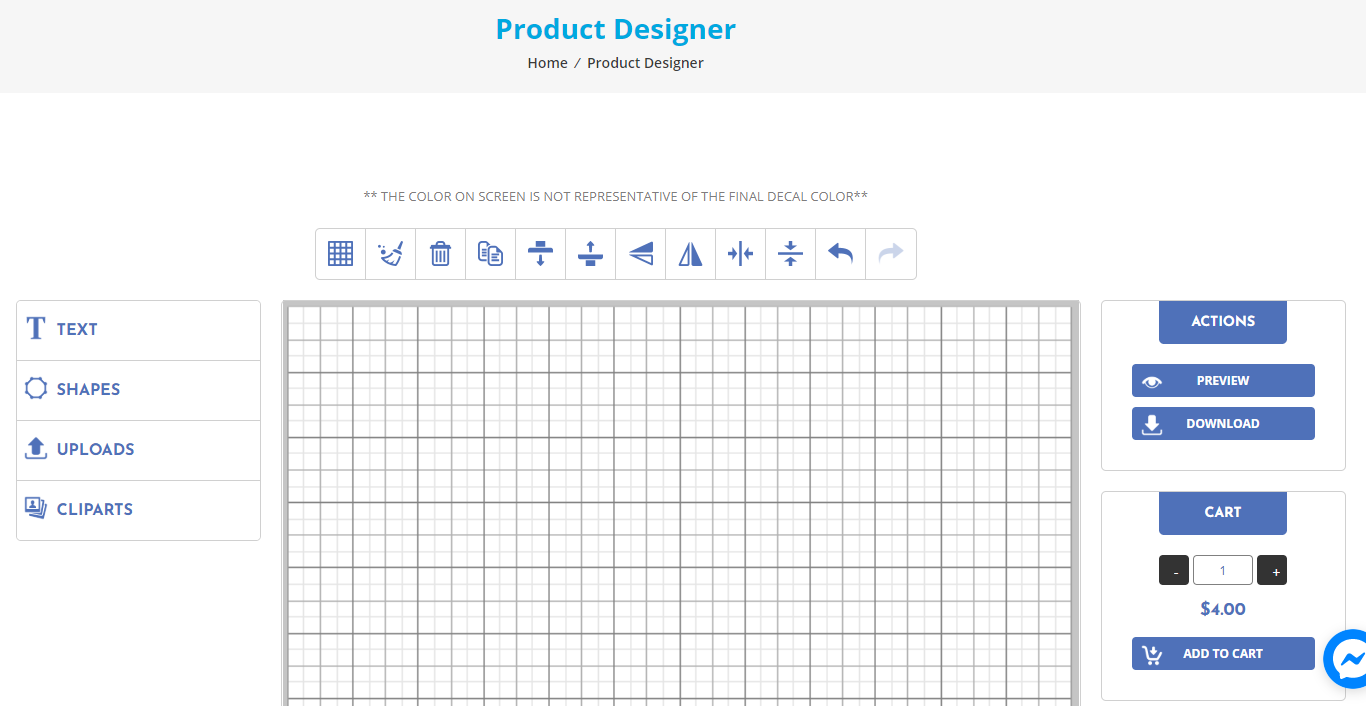
Using the Custom Product Designer to design the decal of your dreams could not be any easier. Please note, the colors on the designer are not representative of the final decal colors and may only be used as reference (for instance, WHITE does not show up well at all on the designer).

Once you have visited the Custom Decal product page and selected your size and color, enter the Colors (if you selected anything other than white) and the font/style you would like and then click the button that says “DESIGN FROM BLANK”
On the next page you will see a grid with several options down the left side of the screen.

To upload an already created image (such as a logo) use the UPLOADS section, click on browse and select your image. As these decals are being cut, simple Black and white images work best for the tracing and cutting process. We are unable to do full color (photograph) type decals. Once you have uploaded your image you can click add to cart if you are done.


If you would like to place text, select TEXT on the left side. Enter your text in the box, select the font you would like (If you do not see a font you would like, please let us know). To add it to the page click the ADD button. Once the font is on the page you are able to resize, rotate and more. To add another text box, simply click anywhere on the grid (not on the previously added text) and then repeat the process above.

Adding shapes is similar to adding text, click on SHAPES, select the shape you would like and then drag and resize it on the grid where you would like it positioned.
We have a small (and growing) clip art collection available as well. It functions the same as the shapes. Click Clip Art, select the type of clip art you would like as well as the art. If what you were envisioning is not available, please let us know.

Once completed designing you can preview (the grid will remain in the preview) and add to your cart to complete the check out process.
If you have any questions, please reach out to us at [email protected] or via the facebook messenger link.